
CLIENT WORK / SOFTWARE · MPA-ACC-001
Simple Accounts: bookkeeping for people who hate bookkeeping
In one line
A working bookkeeping app for a small VAT-registered joinery firm. The owner sees three answers and a ten-minute to-do list; the accountant gets full double-entry books underneath.
The client, Fennick Joinery, is invented for this case study. The software is real and runs.
The requirement
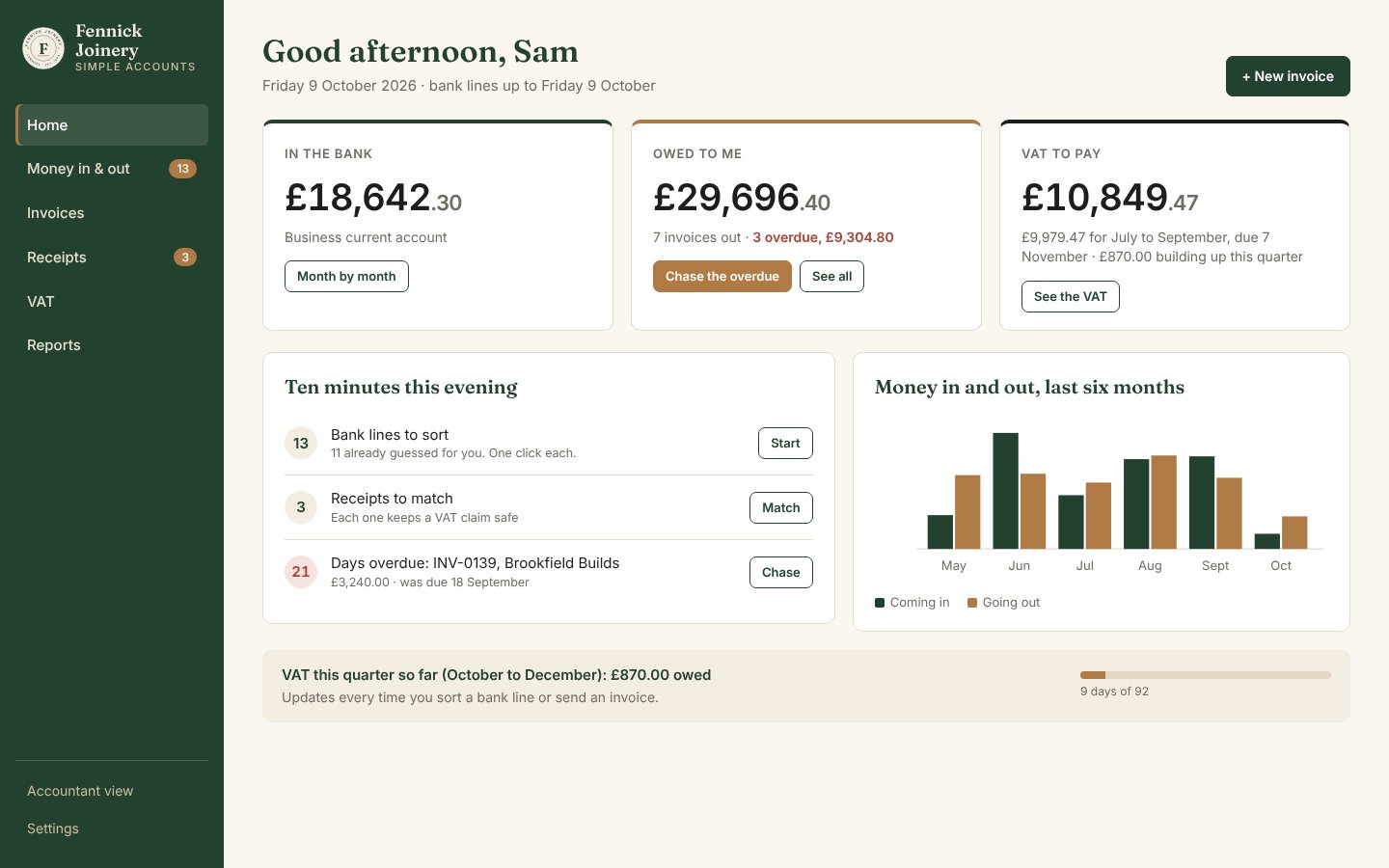
Sam runs a four-person joinery workshop with a turnover of about £380,000, VAT registered. Bookkeeping happens on a Sunday night, if at all. The mainstream packages are built for bookkeepers: chart-of-accounts codes, bank rules, journals. Sam wants three answers: - What is in the bank? - Who owes me? - What do I owe, VAT included?
He also wants to do the chores in ten minutes. His accountant still needs proper books at year end.
What I designed
- A brand first. Three identity options for the client, then the chosen "Heritage" look carried through every screen and the invoice.
- Eight screens before any code: Home, Money in & out, New invoice, Receipts, VAT, Reports, Accountant view and Settings, all using the same figures so the story holds together.
- One rule throughout: no accounting words on Sam's screens. "What was it?" instead of "nominal code". "Owed to me" instead of "debtors". The words "debit" and "credit" never appear where he works.
What I built
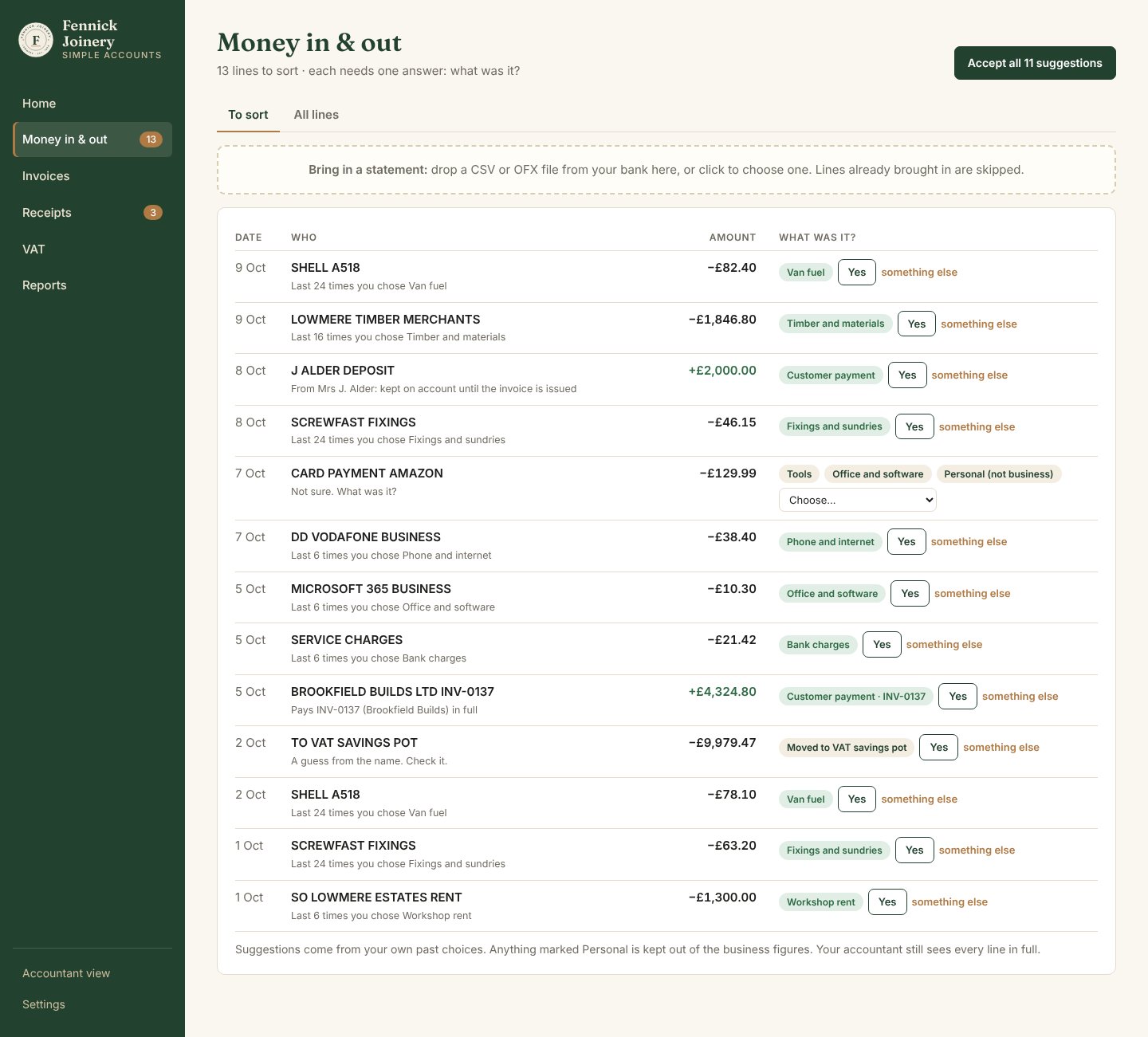
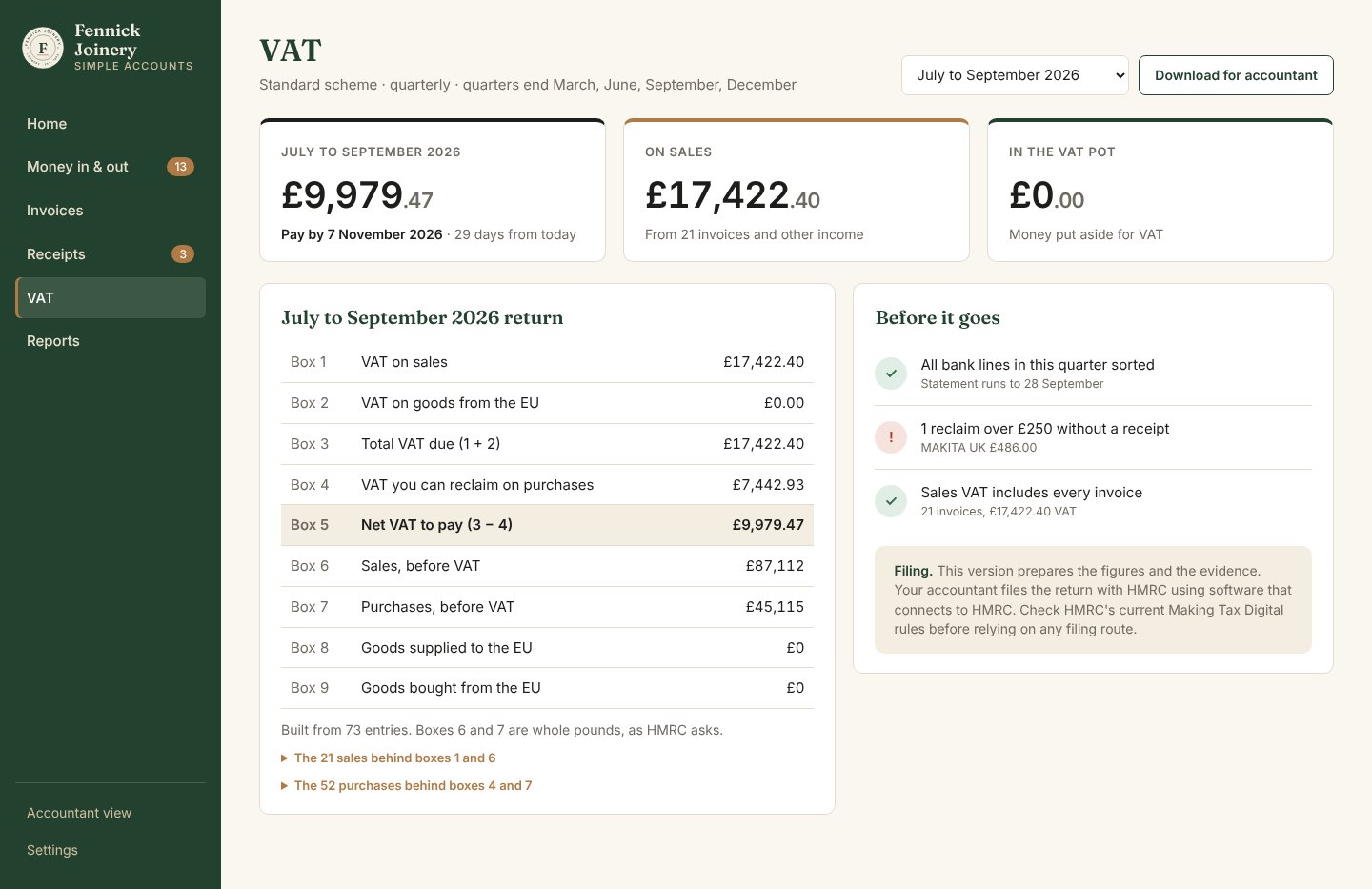
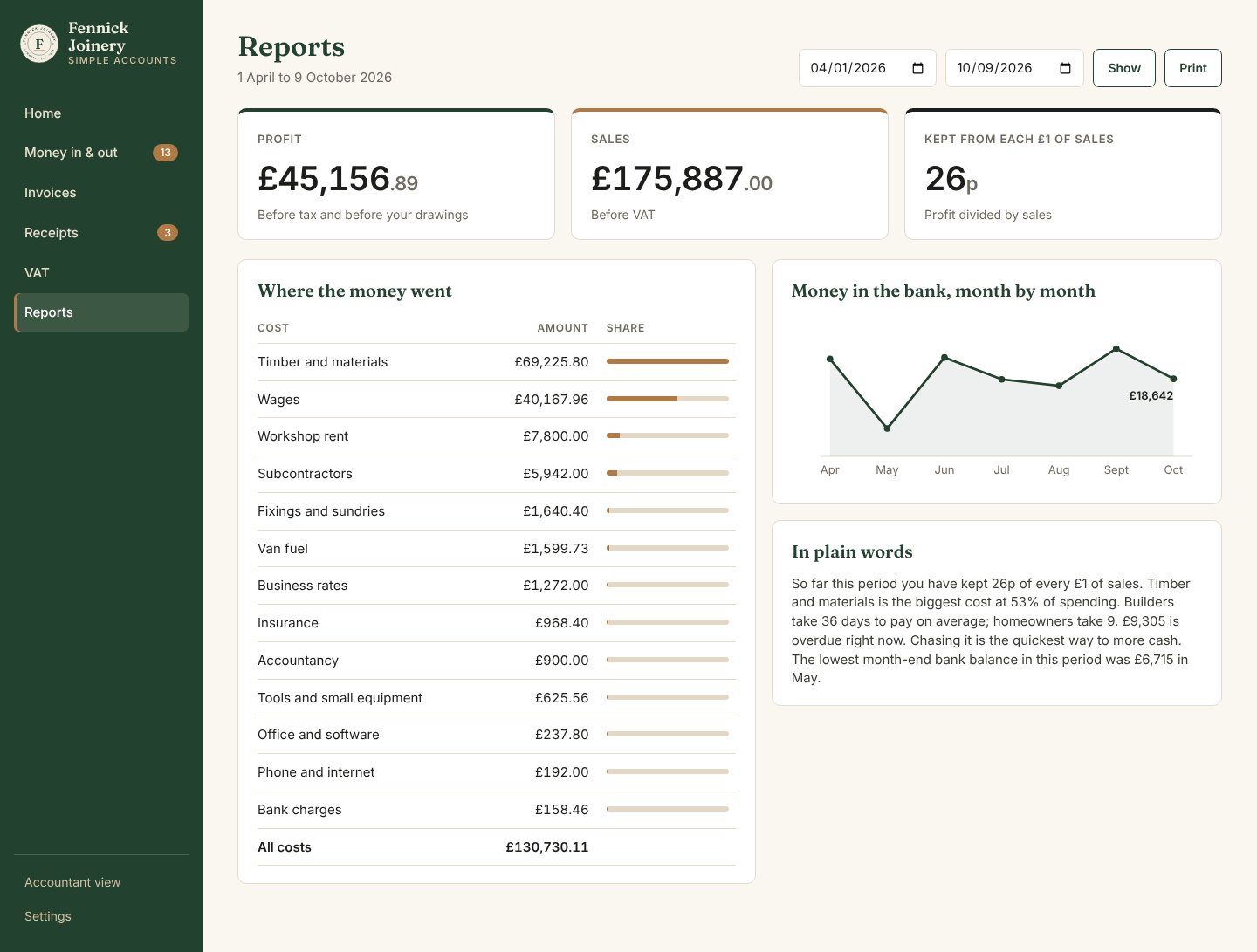
A local web app. It runs on the client's own computer from a double-click, and nothing leaves the machine. - Bank lines come in from a statement file. It reads Lloyds, NatWest and Barclays CSV layouts, plain CSVs (with or without a header row) and OFX. Lines already imported are skipped. - Every line gets a suggestion learned from Sam's own past choices. One click says yes, and "Accept all" does the confident ones. Customer payments are matched to the invoice they pay. Deposits are held against the customer until the invoice is sent. - Invoices: write, send, then print or save as PDF. A deposit already received comes off automatically. An overdue invoice gets a ready-made reminder. - Receipts: a photo or PDF is matched to its bank line, and the VAT from the receipt replaces the estimate. - VAT: the nine-box return for any quarter, with the lines behind each box, and checks before it goes: - unsorted lines - reclaims over £250 with no receipt - sales VAT tied back to the invoices - Reports: profit, where the money went, the bank month by month and a short summary in plain words. - Accountant view: trial balance, journals, a lock on finished periods, a log of changes, and CSV exports. - Underneath: every "Yes" writes a balanced double-entry journal, with money held in whole pence. An entry that does not balance is refused before it is saved.
What it delivers
On the sample books, Sam's Sunday evening is: 1. 13 new bank lines: "Accept all" sorts 11. The remaining two are an Amazon purchase and a transfer to the VAT savings pot, which the app is not sure about, so it asks. That is 3 clicks in all. 2. Three receipts: one click each to match. 3. The Alder staircase invoice: one click to send. The £2,000 deposit comes off and the balance is £5,740.
The books still balance afterwards, and the accountant can export the year in one click.
18 automatic checks pass. They prove that: - the books always balance - the VAT return matches a hand calculation, including rounding, exempt costs, wages and drawings - the three bank layouts and OFX give identical lines - importing the same statement twice adds nothing - suggestions learn from past choices - locked periods and sent invoices cannot be changed - a full evening's routine leaves the trial balance square
Where it stands
Version 1 works on the sample data, with a 46-second screen recording.
What it deliberately does not do yet, and says so on its own screens: - file VAT with HMRC directly (the accountant files) - connect to the bank directly (Sam downloads a statement) - read receipt photos automatically - handle schemes other than standard VAT
How I would run this for a client
- Week one: sit with the owner for one real Sunday evening, then design the screens around what they actually do.
- Weeks two to four: build on their own data, with the accountant signing off the exports.
- After that: a month of real use before anything is called finished.
- Fee: fixed, agreed when we scope it.
Limits
- The client is invented. The software, tests and recording are real.
- A direct comparison of steps against a mainstream package has not been done; that needs a test account on each and is planned.
- No penetration test or multi-user security review. It is single-user and runs locally by design.
Files
- Design: 02 Design (brand options, chosen brand, 8 screens)
- Build: 03 Build\simple-accounts (double-click START SIMPLE ACCOUNTS.bat)
- Tests: 04 Tests (double-click RUN TESTS.bat; results in TEST RESULTS.md)
- Recording: 05 Case note\simple-accounts-walkthrough.mp4